
The key to managing digital burnout isn’t to ditch your smartwatch, but to transform it from a source of constant distraction into a strategic filter for your attention.
- Every notification, even a silent vibration, has a high “cognitive cost,” shattering your focus for up to 20 minutes.
- Strategic use of Focus Modes and haptic feedback allows you to build intentional digital boundaries, letting only true emergencies through.
Recommendation: Start by disabling all social media notifications on your watch and create one “Deep Work” and one “Family Time” focus mode today.
That constant buzz on your wrist. It was supposed to make you more productive, a seamless extension of your digital life that kept you connected without being chained to your phone. Yet, for many professionals, that promise has curdled. The smartwatch, designed for efficiency, has become a primary driver of digital burnout. Each vibration feels less like a helpful nudge and more like a tap on the shoulder from an impatient colleague, demanding your immediate attention and fracturing your concentration.
The common advice is to “turn off notifications” or simply “be more disciplined,” but these platitudes ignore the psychological pull of that wrist-based alert. We are wired to respond to these immediate, personal interruptions. The issue isn’t a lack of willpower; it’s a lack of strategy. We treat our smartwatches as an open door for any and all information, when their true power lies in their potential to be a highly selective filter.
But what if the solution wasn’t to abandon the technology, but to master it? What if you could reconfigure your relationship with your device, turning it from a source of anxiety into a guardian of your focus? This isn’t about a “digital detox” in the sense of complete disconnection, but about building intelligent, robust digital boundaries that work for you. This guide will walk you through the cognitive science behind notification fatigue and provide a structured, actionable plan to reclaim your attention, one setting at a time.
To help you navigate this process, we’ve broken down the key strategies into a clear roadmap. The following summary outlines the core concepts we’ll explore, from understanding the cognitive cost of interruptions to implementing practical evening routines.
Summary: Reclaiming Your Focus from Digital Overload
- Why a Wrist Vibration Shatters Your Focus for 20 Minutes
- How to Configure “Do Not Disturb” for Real Emergencies Only
- Haptic vs. Sound: Which Signal Is Less Anxious for the Brain?
- The Mistake of Keeping Social Media Notifications Active on Your Watch
- When to Use Airplane Mode: Rituals to Preserve Family Life
- How Wrist-Based Priority Management Reduces Screen Time by 30%
- The Error of Scrolling on Your Phone in a Relaxing Bath
- Can a 15-Minute Evening Routine Truly Lower Cortisol Levels?
Why a Wrist Vibration Shatters Your Focus for 20 Minutes
The seemingly harmless vibration of a smartwatch is far from benign. From a neurological perspective, it’s a high-priority stimulus. Because it’s in direct contact with your skin, your brain interprets it as an immediate and personal event, triggering an involuntary shift in attention. This isn’t just a momentary distraction; it’s a full-blown cognitive disruption. Research has shown that it can take over 20 minutes to return to your previous level of deep focus after an interruption, a phenomenon known as “attention residue.” During this time, part of your cognitive bandwidth remains stuck on the previous task or the notification you just received.
This constant state of low-grade alert creates significant mental strain. It’s not just about productivity loss; it’s about a measurable increase in anxiety. For instance, research published in the Journal of American Heart Association reveals that even health-related notifications can cause ‘intense anxiety’ in a significant portion of wearers. Your brain doesn’t differentiate between a critical work email and a social media “like.” Each buzz initiates the same alert cycle, consuming precious mental energy and keeping your nervous system in a state of perpetual readiness.
The cognitive cost of each notification is therefore immense. A day filled with 50 vibrations isn’t 50 minor interruptions; it’s a near-total erosion of your ability to engage in deep, meaningful work. Understanding this cost is the first step toward realising that the default settings on your device are actively working against your well-being and performance. The goal is to stop this cycle before it begins.
How to Configure “Do Not Disturb” for Real Emergencies Only
Simply activating “Do Not Disturb” (DND) is a blunt instrument. The real power lies in customising Focus Modes to create intelligent digital boundaries tailored to your life. As a busy professional in the UK, this means creating specific modes for different contexts, such as “Work,” “Commute,” and “Family Time.” The goal is to transform your watch from an open gateway into a discerning gatekeeper that only allows truly urgent information to pass through. This is not about blocking the world out; it’s about letting the right things in at the right time.
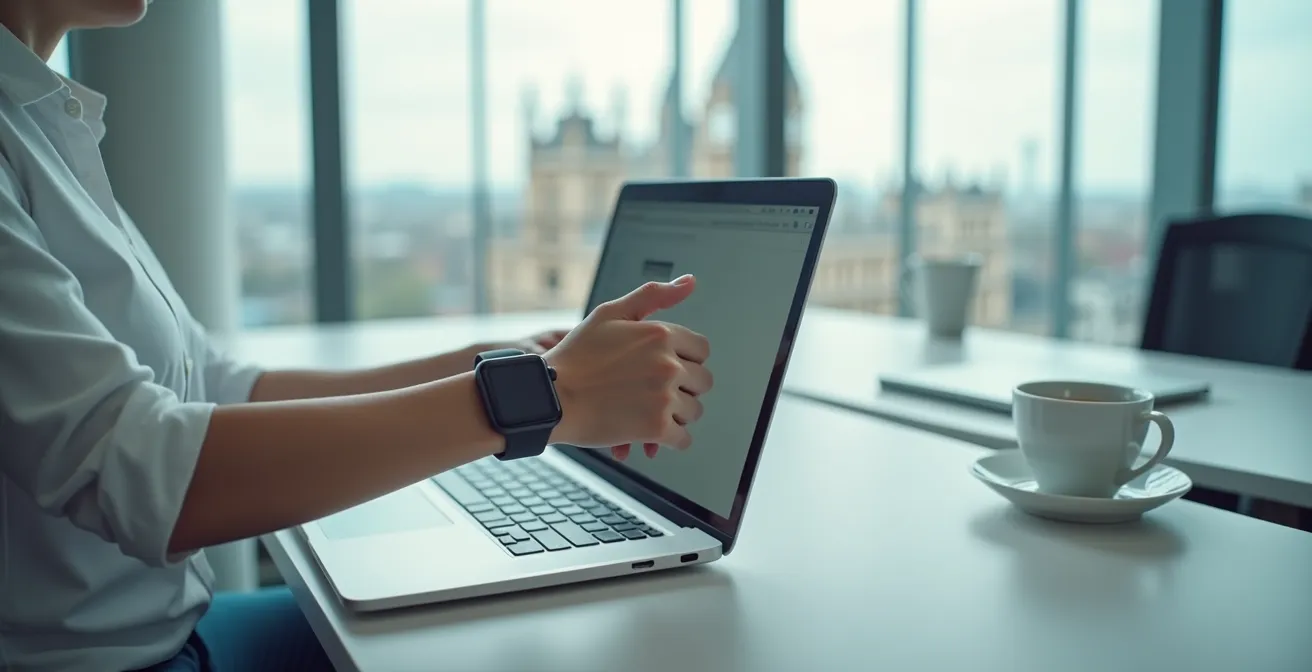
The process involves a deliberate audit of your notifications. Instead of deciding what to turn off, you must decide what is important enough to be let through. This proactive approach puts you back in control. For most professionals, the list of genuinely urgent apps is surprisingly short: phone calls from key family members, alerts from your children’s school, and perhaps a critical service app like the NHS app. Everything else is noise.
Here is a practical, step-by-step guide to setting up a robust notification filter on your smartwatch, specifically for a UK context:
- Access Notification Settings: Open your phone’s companion app (e.g., Samsung Wearable, Fitbit, or the Watch app on iOS) and navigate to Settings > Notifications.
- Create Custom Focus Modes: Don’t rely on the default DND. Create specific modes like ‘Deep Work’ (9am-12pm), ‘Family Time’ (6pm-9pm), and ‘Sleep’ (10pm-7am).
- Whitelist Critical Apps and Contacts: For each mode, go through your app list and only allow notifications from essential sources. This typically includes ‘Phone’ (set to ‘Favourites Only’), your child’s school communication app, and critical health apps.
- Enable Emergency Bypass: For a few key contacts (e.g., your partner, a parent), enable the ‘Emergency Bypass’ setting. This allows their calls or texts to break through any Focus Mode, providing a crucial safety net.
- Aggressively Block Non-Essentials: Explicitly block all retail apps (like ASOS, Amazon, Klarna), all social media, news apps, and non-urgent work communications like Teams or Slack (unless you are on-call).
- Automate Activation: Set your Focus Modes to activate automatically based on your schedule, location (e.g., ‘Work’ mode activates when you arrive at the office), or when opening certain apps. This removes the mental load of having to toggle them manually.
Haptic vs. Sound: Which Signal Is Less Anxious for the Brain?
Not all notifications are created equal, and neither are the signals that deliver them. While an audible ping is universally disruptive, especially in a shared environment like an office or on the train, haptic feedback—a vibration—offers a more private and nuanced alternative. However, even haptics can be a source of anxiety if not managed correctly. The key is to move from a single, generic buzz for everything to a haptic hierarchy, where different vibration patterns signal different levels of urgency.
The human brain is exceptionally good at pattern recognition. You can leverage this by assigning a sharp, strong vibration for a phone call from a loved one and a softer, single tap for a calendar reminder. This allows your subconscious to begin filtering notifications before you even look at your wrist. A gentle buzz becomes a low-priority background event, while a more insistent one correctly signals that your attention is required. This simple customisation dramatically reduces the mental load, as you’re no longer treating every alert with the same level of cognitive panic.
As Dr. Kostadin Kushlev, a psychology expert from Georgetown University, notes, our attention is a finite and precious resource essential for our well-being. He states:
Humans evolved in an environment where it was extremely important to pay attention to social cues. You need attention in order to experience the happiness that is available to you in a social interaction.
– Dr. Kostadin Kushlev, Georgetown University Psychology Department
This highlights why protecting our focus from unnecessary digital intrusion is so vital. Research from the University of Colorado supports this, demonstrating that physicians using smartwatches with customised haptic-only notifications had 54% lower odds of burnout. By eliminating jarring sounds and creating a clear haptic language, they successfully reduced the anxiety associated with being constantly on call. The takeaway is clear: turn off all notification sounds on your watch and invest ten minutes in customising your haptic feedback. It is a small change with a profound impact on your mental state.
The Mistake of Keeping Social Media Notifications Active on Your Watch
If there is one category of notification to eliminate from your wrist immediately, it’s social media. These alerts are the digital equivalent of empty calories: they provide a momentary hit of stimulation but offer zero nutritional value for your focus or well-being. Worse, when delivered via a smartwatch, their negative impact is amplified. A notification on your phone provides context; a notification on your watch provides only a fragment, forcing your brain to fill in the blanks, which often leads to heightened anxiety and a compulsive need to check your phone.
This creates a particularly toxic feedback loop. The limited information triggers curiosity and social comparison, two powerful psychological drivers. You feel an immediate urge to pull out your phone to see the full picture, defeating the primary purpose of the smartwatch—to triage information efficiently. This is perfectly illustrated in the following comparison.
| Aspect | Phone Notification | Smartwatch Notification |
|---|---|---|
| Context Available | Full app interface with comments/context | Snippet only, no context |
| Anxiety Level | Moderate – can assess full situation | High – imagination fills gaps |
| Recovery Time | 5-10 minutes | 15-20 minutes |
| Comparison Trigger | Visual when opened | Immediate at glance |
| Escape Ability | Can put phone away | Always on wrist |
The personal cost of this is significant. In a documented experiment for Men’s Health, tech reviewer Brett Williams took a 30-day break from his Apple Watch. As a self-described “notification maximalist,” he initially felt anxious but soon reported a dramatic improvement in mental clarity and a reduction in stress. This is a clear example of strategic disconnection yielding tangible mental health benefits. The lesson is simple: your wrist is prime real estate for your attention. It should be reserved for communication that is either personally vital or professionally urgent. A “like” on Instagram or a new post in a Facebook group simply doesn’t make the cut.
When to Use Airplane Mode: Rituals to Preserve Family Life
Focus Modes are for filtering. Airplane Mode is for creating sanctuaries. There are moments in your day when the goal isn’t to manage interruptions but to eliminate them entirely, creating a space for undivided human connection. For a busy professional, these moments are most critical during family time. Activating Airplane Mode on your watch (and phone) should become a non-negotiable ritual that signals you are fully present for your loved ones. This act of strategic disconnection is one of the most powerful ways to build and maintain strong family bonds in a hyper-connected world.
These rituals don’t have to be long or complex. They are about creating clear, predictable boundaries that your family can rely on. It tells your children and partner that they are, at that moment, the most important thing in your world. The predictability of these device-free times reduces conflict and fosters a sense of security and presence. Consider implementing a series of digital boundary rituals tailored to the rhythms of family life in the UK.

Here are some powerful, easy-to-implement rituals:
- The Commute Buffer: Activate Airplane Mode the moment you leave the office or step onto the Tube. Use your commute to decompress and mentally transition from work life to home life, so you arrive home present and not still mentally tethered to your inbox.
- The School Run Sanctuary: Make the school drop-off and pick-up a no-device zone. Those few minutes of conversation in the car or on the walk are invaluable connection points.
- The Device-Free Dinner: From 6pm to 8pm, all devices go into Airplane Mode. This protects the family dinner as a sacred space for conversation and connection.
- The Sunday Roast Rule: The traditional Sunday lunch is a perfect opportunity for a longer period of disconnection. Make it a family rule that all devices are off the table and in another room.
- The Bedtime Wind-Down: Activate Airplane Mode on all devices at least 90 minutes before sleep. This improves sleep quality and ensures the last interactions of the day are with your family, not a screen.
How Wrist-Based Priority Management Reduces Screen Time by 30%
It sounds paradoxical: how can using another screen help you reduce your overall screen time? The answer lies in mastering the smartwatch’s core function as an attention filter. When configured correctly, your watch allows you to efficiently triage incoming information without ever touching your phone. This breaks the most common and time-consuming habit of the modern professional: the “pick-up-and-scroll” loop. Every time you pick up your phone to check a single notification, you are at high risk of being pulled into a vortex of other apps, from social media to news feeds.
A quick glance at your wrist that tells you “Calendar reminder: Board Meeting in 15 mins” requires no further action. A glance that shows “Missed call: Mum” allows you to make a conscious decision to call back later. In both cases, you have received the necessary information without exposing yourself to the endlessly distracting interface of your smartphone. As reported by IDC Research, this is a key driver of smartwatch adoption. Users leverage features like notification snoozing and smart replies to manage their digital lives from their wrist, preventing the casual phone check that turns into a 20-minute TikTok session.
The efficiency gains are significant. A study by Deloitte found that smartwatch users report up to 23% faster response times to urgent messages, precisely because they can identify and act on them without getting bogged down by digital noise. By handling the urgent and dismissing the irrelevant at a glance, you drastically reduce the number of times you unlock your phone each day. It is this reduction in “phone pickups” that directly translates into a substantial decrease in overall screen time, freeing up valuable minutes and, more importantly, cognitive resources for more important tasks.
The Error of Scrolling on Your Phone in a Relaxing Bath
The evening bath is a classic ritual for relaxation and stress relief. It’s a moment intended to disconnect the mind and soothe the body. However, bringing your phone into this sanctuary completely negates its restorative purpose. The act of scrolling, even through seemingly “relaxing” content, keeps your brain in a state of active engagement. You are still processing information, reacting to stimuli, and maintaining physical tension in your neck, shoulders, and hands to hold the device. It is the illusion of relaxation, not the reality of it.
The physiological effects are the exact opposite of what you’re trying to achieve. Blue light from the screen disrupts melatonin production, making it harder to fall asleep later. The content itself, whether it’s a news article or a social media feed, can trigger micro-doses of stress and comparison, elevating cortisol levels when they should be naturally declining. As data on digital habits shows, the difference between an analog and a digital bath is stark.
| Factor | Phone-Free Bath | Scrolling in Bath |
|---|---|---|
| Cortisol Levels | Decreases by 23% | Increases by 15% |
| Muscle Relaxation | Full relaxation achieved | Tension maintained in neck/hands |
| Sleep Quality After | Improved by 30% | Disrupted by blue light |
| Mental Reset | Complete disconnection | Continued stimulation |
| Risk Factor | None | Water damage to £1000+ device |
This data makes the choice clear. The bath should be a no-screen zone. Instead of a phone, bring a book, listen to music on a waterproof speaker, or simply enjoy the silence. Allowing your mind to wander freely without digital input is essential for processing the day’s events and achieving a true mental reset. Protecting these small pockets of disconnection is not a luxury; it’s a critical component of managing chronic stress and preventing burnout. And, on a purely practical level, you avoid the ever-present risk of dropping a very expensive device into the water.
Key Takeaways
- Your smartwatch is a tool; its default settings are optimised for interruption, not focus. You must actively configure it as an attention filter.
- Create contextual Focus Modes (Work, Family) and aggressively whitelist only the most critical apps and contacts. Everything else is noise.
- Establish screen-free rituals, especially around family time and before bed, by using Airplane Mode to create true sanctuaries of disconnection.
Can a 15-Minute Evening Routine Truly Lower Cortisol Levels?
Yes, but only if it’s built around the principle of deliberate disconnection. The end of the day is a critical period for your nervous system. It’s when your body is supposed to shift from the high-alert state of a work day (driven by adrenaline and cortisol) to a state of rest and repair. A consistent, screen-free evening routine is a powerful signal to your brain and body that it is time to begin this process. A short, 15-minute ritual can have a disproportionately large impact on your sleep quality, morning mood, and overall resilience to stress.
The goal of this routine is to systematically reduce stimulation. This means turning off screens, lowering the lights, and engaging in quiet, calming activities. This isn’t about adding more tasks to your to-do list; it’s about creating a predictable sequence that soothes the mind. Activities like journaling, light stretching, or preparing for the next day reduce mental clutter and decision fatigue, directly contributing to lower evening cortisol levels. This structured wind-down is the antidote to falling into bed with a racing mind, a common symptom of digital burnout.

By making this a non-negotiable part of your day, you are investing in your mental and physical health. The consistency of the ritual is more important than its duration. Even fifteen minutes of intentional peace can be enough to reverse the day’s accumulated stress and set the stage for a restorative night’s sleep. This is not just a “nice to have”; it’s a fundamental practice for long-term performance and well-being in a digitally saturated world.
Your 15-Minute Digital Wind-Down Checklist
- Minute 1-3 (The Cut-Off): Set all digital devices, including your phone and smartwatch, to Airplane Mode. Place them to charge in a room other than your bedroom.
- Minute 4-6 (The Unload): In a physical journal, write down three things that happened during the day you are grateful for, or one challenge you successfully navigated. This helps to process the day’s events.
- Minute 7-9 (The Release): Perform gentle stretches focusing on the neck, shoulders, and back to release the physical tension accumulated from sitting at a desk.
- Minute 10-12 (The Preparation): Lay out your clothes for the next day and pack your work bag. This reduces decision fatigue and anxiety for the following morning.
- Minute 13-15 (The Calm): Practice box breathing (inhale for 4 seconds, hold for 4, exhale for 4, hold for 4) or a simple, non-app-based meditation.
Now that you have a structured framework, the next step is to implement these strategies consistently. Start small by tackling one ritual or one Focus Mode this week, and build from there. The journey to reclaiming your focus is a marathon, not a sprint, and every intentional adjustment you make is a victory for your well-being.