
Your fitness tracker’s data, especially calorie burn, is often misleading and can stall your weight loss. True progress requires moving beyond arbitrary goals like ‘10,000 steps’ and analysing the quality of your physiological data.
- Calorie burn estimates on watches have significant error margins, making them unreliable for precise diet planning.
- Metrics like Heart Rate Variability (HRV) offer a more accurate picture of your body’s recovery and readiness to train than simple sleep duration.
Recommendation: Shift your focus from hitting daily targets to understanding weekly trends in training intensity, recovery scores, and resting heart rate to break through plateaus.
You’re doing everything ‘right’. You diligently track your 10,000 steps, close your activity rings, and monitor every calorie your watch claims you’ve burned. Yet, the number on the scale refuses to budge. This frustrating plateau is a common experience for many active individuals in England and beyond. The standard advice—”be in a calorie deficit”—feels simplistic when you believe your technology is already confirming your hard work. You’ve invested in a device meant to provide clarity, but instead, it creates confusion and demotivation.
The problem isn’t necessarily your effort, but the data you’re trusting. The fitness industry has conditioned us to chase simple, satisfying numbers. However, these metrics often lack the physiological context needed for effective weight management. What if the key to unlocking your progress wasn’t in hitting another arbitrary goal, but in learning to question, interpret, and even ignore some of the data your device presents? It’s time to stop being a passive user and start thinking like a sports data scientist.
This article will deconstruct the most common metrics that hold people back. We will explore why your calorie counter is likely wrong, how to properly balance training intensity, and which devices excel at the crucial, yet often overlooked, element of recovery. By the end, you will have a new framework for using your tracker—not as a simple counter, but as a sophisticated tool for understanding your body’s true signals and finally breaking through your performance ceiling.
To navigate this deep dive into your fitness data, we’ve structured this guide to tackle each misleading metric and provide a clear, evidence-based alternative. The following sections will equip you with the knowledge to transform your tracker from a source of frustration into a genuine asset for your health journey.
Summary: Decoding Your Fitness Data Beyond the Basics
- Why your watch often overestimates your calories burned?
- How to balance intensity and volume to avoid stagnation?
- Fitbit, Apple or Whoop: which best analyses muscle recovery?
- The mistake of no longer listening to your body in favour of activity rings
- Problème de foulée : comment utiliser le métronome intégré pour courir plus vite ?
- How to calibrate your intensity zones to burn fat without exhaustion?
- Why your HRV is a better indicator of fatigue than your hours of sleep?
- Are Smartwatch Advanced Sensors Accurate Enough for NHS Standards?
Why your watch often overestimates your calories burned?
The “calories burned” metric is arguably the most seductive feature of any fitness tracker, yet it’s also one of the most flawed. The number you see is not a direct measurement but an algorithmic guess based on your heart rate, movement, and the personal data you’ve entered (age, weight, height, gender). This process is fraught with potential inaccuracies. The algorithms struggle to differentiate between types of exertion; for example, the heart rate spike from a stressful work meeting is not the same, metabolically, as one from a brisk walk.
The scale of this inaccuracy is staggering. Research from Stanford University revealed that even the most popular devices can be wildly incorrect. The study highlighted that some trackers had an error rate for calorie expenditure of 27% to 93%. Basing your daily food intake on a number that could be almost twice as high as reality is a direct path to a weight-loss plateau. For context, the NHS recommends a daily calorie reduction of about 600kcal for sustainable weight loss. If your watch overestimates your daily burn by 300-400 calories, you might unknowingly erase your entire deficit.
Instead of blindly trusting this number, treat it as a rough estimate of activity level. To get a more realistic picture, you must perform some basic metric calibration. You can improve its accuracy slightly with a few simple checks:
- Ensure your personal information (gender, height, weight, age) is always up to date in your device’s settings.
- Check the fit of your watch band; a loose band can lead to poor heart rate readings, which throws off all subsequent calculations.
- For key activities, cross-reference your device’s estimates with online calculators that use the METs (Metabolic Equivalent of Task) formula for a second opinion.
Ultimately, the calorie-burn figure is best used as a relative measure of daily effort, not an absolute value to guide your diet. A day showing 3,000 “burned” calories was likely more active than a 2,200-calorie day, but neither figure should be taken as gospel.
How to balance intensity and volume to avoid stagnation?
Hitting a plateau often happens when your body adapts to a consistent training load. Running the same 5k at the same pace three times a week, or always hitting 10,000 steps by walking, will eventually cease to be a stimulus for change. To break this stagnation, you need to manipulate two key variables: training volume (how much you do) and training intensity (how hard you do it). Focusing exclusively on one can lead to burnout or diminishing returns.
A volume-focused approach prioritises accumulating mileage or time, often at a lower intensity. This is excellent for building an aerobic base and endurance. An intensity-focused approach prioritises shorter, harder efforts, like interval training, which is highly effective for improving speed and metabolic efficiency. For the average person looking to lose weight and improve fitness, a combination of both, known as polarised or pyramidal training, is most effective. This typically involves making most of your weekly workouts (around 80%) low-intensity, and a small portion (20%) high-intensity.
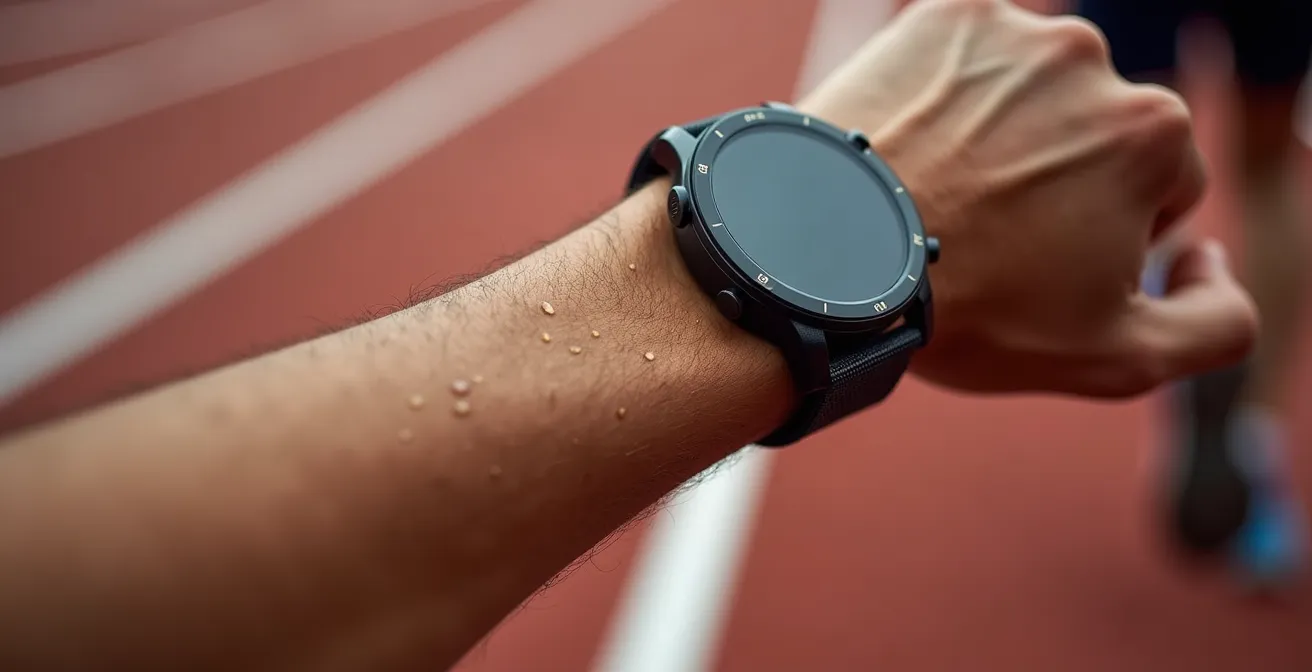
This principle is perfectly illustrated in the context of improving a 5k time, a common goal for many in the UK’s Parkrun community. To get faster, you don’t just run faster all the time. You build the endurance to hold a challenging pace for longer. This involves a mix of one long, slow run per week (building volume) and one session of shorter, faster intervals (building intensity).
The following table provides a simplified comparison of how you might structure your week depending on your primary focus. For most people, a balanced approach that borrows from both columns is the ideal way to ensure continuous progress.
| Training Type | Volume Focus | Intensity Focus | Best For |
|---|---|---|---|
| Weekly Mileage | 30-40 miles | 15-20 miles | Base building vs Speed development |
| Key Session | Long run 10-13 miles | 3-4x 1k intervals at goal pace | Endurance vs Lactate threshold |
| Recovery Runs | 4-5 easy runs | 2-3 easy runs | Volume accumulation vs Quality focus |
Fitbit, Apple or Whoop: which best analyses muscle recovery?
While most trackers are focused on what you *do* (activity), a new generation of devices is shifting the focus to how you *respond* (recovery). This is a critical evolution. Pushing yourself when your body is fatigued is a recipe for injury and overtraining, whereas training when you’re fully recovered maximises adaptation and progress. Key metrics for this are Heart Rate Variability (HRV) and Resting Heart Rate (RHR).
When comparing platforms, the question isn’t just about sensor accuracy, but how the data is presented. While most modern devices from Apple, Garmin, and Fitbit can measure the raw data points like HRV, some are far better at translating them into actionable advice. It’s been shown that the trends and patterns in HRV data are quite consistent across major wearables, so the choice often comes down to the user interface and ecosystem.
Whoop has built its entire platform around recovery, using a proprietary algorithm to generate a single, easy-to-understand daily Recovery Score (0-100%). Garmin offers a more complex but powerful suite of tools like “Training Readiness” and “Body Battery,” which integrate HRV, sleep, and recent training load. Apple provides the raw HRV data within its Health app but lacks a native, unified recovery score, requiring third-party apps to interpret it meaningfully.
For someone whose primary goal is to optimise training and avoid plateaus, a device that simplifies recovery analysis is invaluable. The subscription model of Whoop is a barrier for some, but its laser focus on recovery provides unparalleled clarity. Garmin offers a fantastic, subscription-free alternative for data-savvy users who are willing to engage with multiple metrics. Apple is a powerful health device but requires more user effort to create a coherent recovery picture. The table below outlines the key differences:
| Feature | Whoop | Garmin | Apple Watch |
|---|---|---|---|
| HRV Tracking | Core metric, traffic-light system | HRV Status with baseline comparison | Basic HRV measurements |
| Recovery Score | 0-100% daily score | Training Readiness + Body Battery | No unified score |
| Sleep Analysis | Sleep Performance with actionable hygiene metrics | Sleep stages with recovery time | Sleep stages tracking |
| Subscription | £169-349/year required | One-time purchase | One-time purchase |
| Battery Life | 4-5 days | 7-14 days | 18-36 hours |
The mistake of no longer listening to your body in favour of activity rings
The gamification of fitness—closing rings, earning badges, maintaining streaks—is a powerful motivator. However, it can also create a dangerous disconnect from our body’s own signals. When the urge to “close the rings” overrides genuine feelings of fatigue, muscle soreness, or mental exhaustion, we start treating our body like a machine to be optimised rather than a biological system to be nurtured. This is the fast track to burnout, not sustainable progress.
Your watch can’t measure your motivation, the quality of your appetite, or the specific location and intensity of muscle soreness (DOMS). This is where the practice of “bio-logging” becomes a crucial counterbalance to technology. It involves taking a moment each day, ideally before looking at any device data, to check in with yourself. This creates a physiological feedback loop that is guided by your own perception, which you can then compare against your tracker’s data. If your watch says you’re “100% recovered” but you feel mentally drained and sore, your internal feedback should win.

This approach is endorsed by sports performance experts. As Deviny Mo, a specialist at UCLA Health Sports Performance, advises, you should use a subjective scale for your own feelings. In a commentary on balancing data with intuition, she notes:
“On a scale of one-to-10, for example, if you’re at a full-on 10 in terms of soreness level, then dial it down, and if you’re at two or three, maybe you’re not pushing yourself hard enough.”
– Deviny Mo, UCLA Health Sports Performance
To start integrating this practice, try tracking these three simple metrics that your watch can’t measure. This doesn’t need to be a detailed journal; a quick mental note or a note in your phone is enough to start recalibrating your relationship with your body’s signals.
- Morning motivation levels: Rate your mental energy from 1-10 before checking any device data.
- Appetite quality: Track whether you feel genuinely hungry versus eating out of habit or boredom.
- Specific muscle soreness (DOMS): Note which muscle groups feel fatigued and at what intensity level (1-10).
Problème de foulée : comment utiliser le métronome intégré pour courir plus vite ?
For runners, a common cause of both plateaus and injuries is poor running form, specifically an inefficient stride. Many amateur runners tend to “overstride,” which means their foot lands too far in front of their body’s centre of mass. This acts as a braking force with every step, wasting energy and increasing impact on the joints. A key metric to address this is running cadence, or the number of steps you take per minute (spm).
Most modern running watches have a built-in metronome feature. It’s a simple tool that provides an audible beep or a vibration at a set rhythm. By synchronising your foot strikes to this rhythm, you can consciously work on increasing your cadence. While there is no single “perfect” cadence, elite distance runners often run at or above 180 spm, whereas many recreational runners are closer to 150-160 spm. A small increase of just 5-10% can make a significant difference in efficiency.
Using the metronome doesn’t mean you have to run with a constant beeping in your ear forever. It’s a training tool to be used strategically. Here’s a practical way to start:
- Establish your baseline: On your next easy run, go to a flat section and run for one minute, counting every time your right foot hits the ground. Multiply that number by two to get your current cadence.
- Set the target: Take your baseline cadence and add 5%. For example, if your baseline is 160 spm, your initial target would be 168 spm. Set your watch’s metronome to this value.
- Practice in intervals: During your next run, incorporate short intervals of 1-2 minutes where you focus on matching your steps to the metronome’s beat. Your steps will feel shorter and lighter. Focus on landing your feet underneath your body, not out in front.
- Integrate gradually: Start with just a few minutes of metronome work per run and gradually increase the duration as the new, quicker rhythm begins to feel more natural. Over several weeks, this will help retrain your neuromuscular system for a more efficient stride.
This is a perfect example of using your device’s data-driven features to enact a real, physical change in your performance, moving far beyond simply tracking distance or time.
How to calibrate your intensity zones to burn fat without exhaustion?
Training intensity is the most critical factor for driving physiological change, and heart rate (HR) zones are the most common way to measure it. However, most people rely on the default, age-based formula (220 – age = Max HR), which can be highly inaccurate. This generic approach doesn’t account for individual differences in fitness levels, leading to training zones that are either too high (causing burnout) or too low (providing insufficient stimulus). For truly effective training, you need to calibrate your personal intensity zones.
A much more accurate method is the Heart Rate Reserve (HRR) method, also known as the Karvonen formula. It takes into account your Resting Heart Rate (RHR), which is a strong indicator of your current aerobic fitness. The formula is: Target HR = ((Max HR – RHR) x %Intensity) + RHR. To use it, you first need to determine your RHR (by measuring your pulse first thing in the morning) and get a reasonable estimate of your Max HR (a field test is best, but 220-age is a starting point if needed).
With this formula, you can establish personalised zones. For example:
- Zone 2 (Easy/Fat Burning): 60-70% of HRR. This is the intensity for long, slow runs and recovery workouts. While you burn a higher *percentage* of fat for fuel in this zone, you burn fewer total calories than in higher zones. It’s crucial for building an aerobic base.
- Zone 3 (Moderate/Aerobic): 70-80% of HRR. This is your “tempo” or “steady-state” effort. It feels comfortably hard and is great for improving cardiovascular efficiency.
- Zone 4 (Hard/Threshold): 80-90% of HRR. This is where you approach your lactate threshold. Efforts are hard and can only be sustained for shorter periods. This zone is key for improving speed and performance.
- Zone 5 (Maximal): 90-100% of HRR. This is an all-out effort for very short intervals.
By personalising these zones, your watch’s guidance becomes exponentially more valuable. A “Zone 2” workout will now correspond to a real, physiological state for *your* body, ensuring you’re getting the intended training stimulus without over- or under-exerting yourself.
Why your HRV is a better indicator of fatigue than your hours of sleep?
For decades, we’ve been told that 8 hours of sleep is the gold standard for recovery. While sleep duration is important, it only tells part of the story. It’s a measure of quantity, not quality. You can spend 8 hours in bed and still wake up feeling unrestored due to stress, alcohol, or illness. This is where Heart Rate Variability (HRV) emerges as a far more insightful metric. It measures the quality of your recovery on a physiological level.
HRV is the measurement of the variation in time between consecutive heartbeats. Contrary to what you might think, a healthy, well-rested heart is not perfectly regular like a metronome. It should have a high degree of variability, which indicates that your autonomic nervous system (ANS) is balanced and responsive. The ANS has two branches: the sympathetic (“fight or flight”) and the parasympathetic (“rest and digest”).
Here’s the crucial link: – A high HRV indicates a dominant parasympathetic state. Your body is in “rest and digest” mode, signaling that you are well-recovered, resilient, and ready to handle stress (like a hard workout). – A low HRV indicates a dominant sympathetic state. Your body is in “fight or flight” mode, stressed from factors like intense training, poor sleep, work pressure, or impending illness. It’s a signal to prioritise recovery and opt for a lighter workout or a rest day.
Therefore, while your watch might show you got 8 hours of sleep (quantity), a suppressed HRV score tells you that the sleep wasn’t restorative (quality). It provides a window into your body’s internal state that sleep duration alone cannot. Tracking your HRV trend over weeks allows you to see how your body is responding to your overall lifestyle and training load. A consistently declining HRV is a clear warning sign of accumulated fatigue, even if your sleep duration remains constant.
Key Takeaways
- Your watch’s calorie burn estimate is highly inaccurate and should not be used to guide your diet precisely.
- Breaking a weight loss plateau requires a strategic balance of training intensity and volume, not just repeating the same workouts.
- Heart Rate Variability (HRV) is a more reliable measure of your body’s true recovery and readiness to train than sleep duration alone.
Are Smartwatch Advanced Sensors Accurate Enough for NHS Standards?
A common question is whether the data from a consumer-grade smartwatch is “good enough” to be taken seriously, especially when discussing it with a healthcare professional like an NHS GP. The answer is nuanced. While these devices are not certified medical instruments for diagnosis, they are exceptionally powerful tools for tracking long-term trends. No, the single ECG reading from your watch won’t replace a hospital EKG, but six months of consistent resting heart rate data can absolutely provide a valuable context for your overall health.
The NHS itself is moving towards integrating digital health tools. For instance, the official NHS Weight Loss Plan is a 12-week programme that relies on users tracking their progress. This acknowledges that consistent, self-monitored data, even if not perfectly precise, is a cornerstone of behavioural change. The key is to present the right kind of data to your GP. They are unlikely to be interested in your “activity ring streak” or a single day’s calorie burn. They are, however, interested in validated, long-term health markers.
When you have a conversation with your GP, you need to act as a curator of your own data. Don’t expect them to sift through your app. Instead, focus on presenting clear, long-term trends of the most credible metrics. Your watch’s step count and active minutes are generally quite accurate and align well with public health guidelines. Resting heart rate and HRV trends over several months can be powerful indicators of changes in your cardiovascular fitness and stress levels. By focusing on these validated metrics, you can bridge the gap between consumer technology and professional medical advice, making your device a valuable partner in your long-term health management within the UK healthcare system.
Action Plan: How to Talk to Your NHS GP About Your Watch Data
- Focus on Long-Term Trends: Prepare summaries showing trends over 3-6 months, not daily fluctuations. A consistently decreasing resting heart rate is a powerful sign of improved fitness.
- Prioritise Validated Metrics: Emphasise data points that are widely accepted and accurate, such as average daily step count, weekly active minutes, and resting heart rate trends. Avoid focusing on less reliable metrics like calorie estimates or sleep stages.
- Bring Prepared Summaries: Don’t expect your GP to navigate your device’s app. Print out or have screenshots ready of key summary graphs (e.g., the monthly RHR chart) to make the conversation efficient and focused.
- Provide Context: Explain what changes in your lifestyle or training coincided with changes in the data. For example, “I started interval training here, and you can see my resting heart rate began to drop a month later.”
- Ask Specific Questions: Frame your data as a question related to your health. For example, “I’ve noticed my resting heart rate has increased over the last two months despite consistent activity. Is this something I should be concerned about?”
By moving beyond superficial metrics and learning to interpret your body’s data like a scientist, you can finally take control of your fitness journey. Stop being a passive recipient of notifications and become the analyst of your own progress. Use these principles to recalibrate your approach, listen to your body’s true signals, and start seeing the results your hard work truly deserves.